
Who said that promoting your conservation work had to cost money?
It is often accepted that professional, industry standard creative software will cost you an arm and a leg. Ahem, Adobe…
And though perhaps that was once the case, many alternative options have made their way out of the woodworks, including a few freebies that are on the same standing as Adobe, or dare I say it, even more powerful.
We are going to take a look at some of these free programs that you can take advantage of in your pursuit of conservation. These applications will help you to achieve a professional brand presence and deliver stunning visual content that helps you win grants, intrigue new volunteers, and showcase all of the meaningful work that you’re doing for nature.
Video Creation
Marketing in the modern world is easily 90% video-focused.
We can thank TikTok, YouTube, and our short attention spans for this reality.
When it comes to content creation for social media, the world has heavily pivoted towards short form, vertical video. You know… shorts, reels, TikToks. And most of these platforms actually offer their own free mobile software for splicing and editing footage into an end product. But the flexibility of these app-based editors is incredibly limited, often restricting your ability to recycle a video across different social media platforms, and is only available for this vertical style content.
What if you wanted to create a longer form video for YouTube, or have more creative freedom on your Instagram reel?
Professional Video Editing that is FREE?
Look no further than DaVinci Resolve. This program is literally used in Hollywood, and it is completely free! Unless you choose to pay a one time fee for the “Studio” edition, which provides some fancy tools for power users. Fear not though, I’ve been using the free version for years and only ran into one or two scenarios where a Studio feature would’ve been nice to have.
DaVinci Resolve’s free edition literally comes more feature packed than Adobe’s Premiere Pro software while also avoiding that hefty monthly subscription. It’s genuinely a no brainer, and a bit surprising how many people still continue to pay!
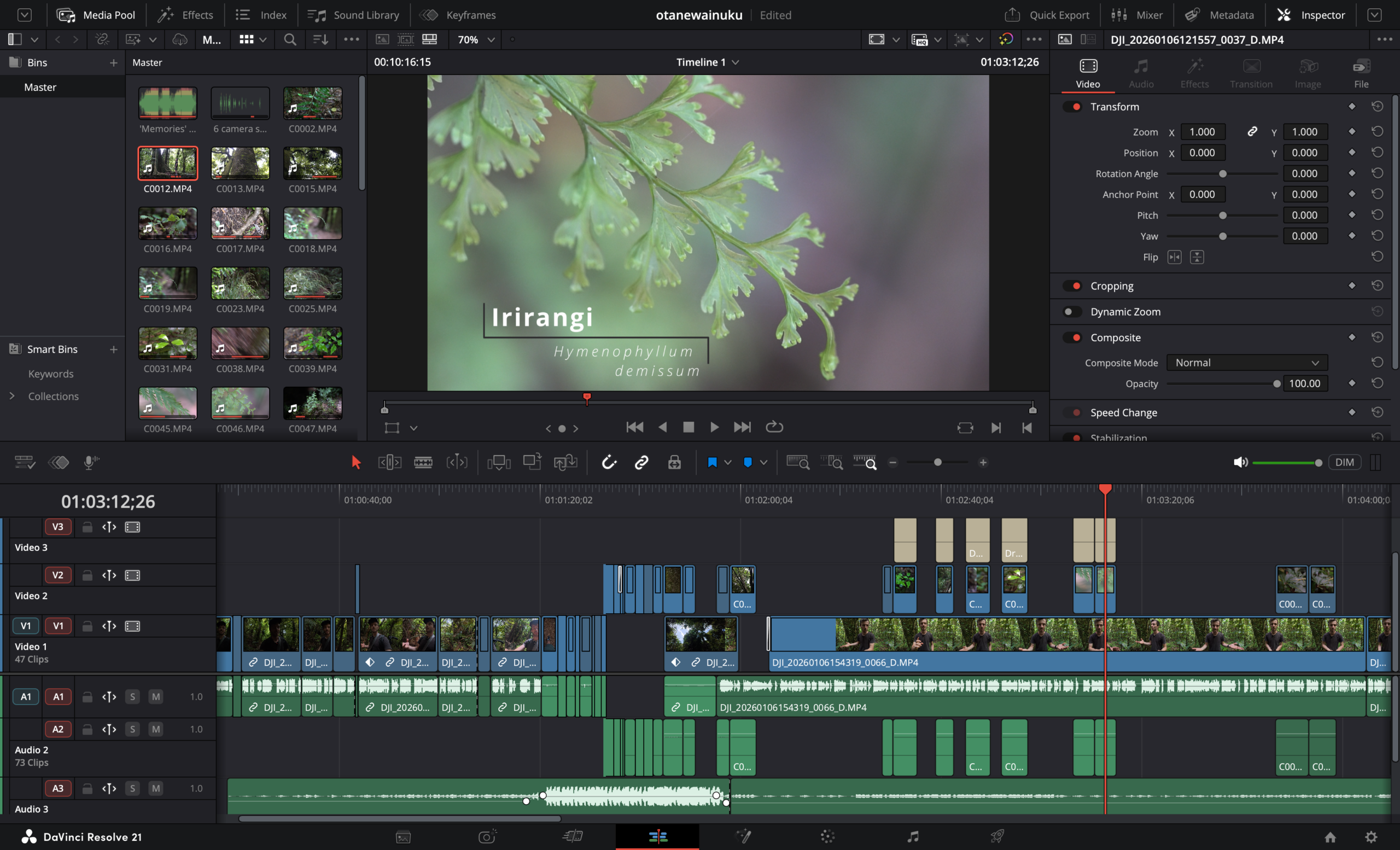
Now with any professional software, you can expect a bit of a learning curve to get started. The one tip I can offer you is that 95% of the bells and whistles are not required for you to produce your first film. In fact, I can give you a one sentence crash course that’ll get you most of the way there. Here goes: To make a video, you simply need to understand how the timeline works, how to use the Selection Mode and Blade Edit Mode, how to add text, normalise the audio, and export your project.
The best advice I can offer is to ignore all the other buttons, windows and tabs; you can learn what they do once you’re comfortable with putting together a basic video.
Graphic Design
Graphic design encapsulates an entire field of expertise that essentially involves any form of digital (mostly) static creative content.
Think image manipulation, figure creation, print layouts, logos, and much, much more.
The first software that probably springs to mind is Photoshop. Though in reality, this field spans such a wide array of use-cases that even Adobe hasn’t squeezed it all into one application. Adobe also provides Illustrator and InDesign to provide the full suite of a designer’s needs.
Unfortunately, this software separation means you must pay extra to subscribe to each individual application! Not so nice when you’re already trying to operate within an extremely tight budget. Conservationists, you know the pain.
FREE Industry Leading Graphic Design Software
The one-stop solution is Affinity Studio.
Affinity used to provide three separate applications: Photo, Designer, and Publisher. But after being acquired by Canva, all three applications got merged into a single program with incredibly smooth compatibility between your different use-cases. Now you simply flick between different tabs to jump between the different workflows which Adobe still segregates entirely. Even better, you can create your own custom studios that suit your specific needs!
Being an introduction to the software, I can’t go into too much detail. This application has so much functionality packed into a reasonably simple user interface. Sure you’ll see more buttons than you know what to do with, but much like DaVinci Resolve, you only need to learn the basics to achieve 95% of your needs. Ignore the rest of the bells and whistles!
At its simplest explanation, there are three main views that achieve different use-cases:
1. Vector Studio
The Vector Studio is like Adobe Illustrator, allowing you to create “curve-based” media. This will allow you to create clean geometric assets like logos, conceptual figures, or blocks and accents for your template layouts.
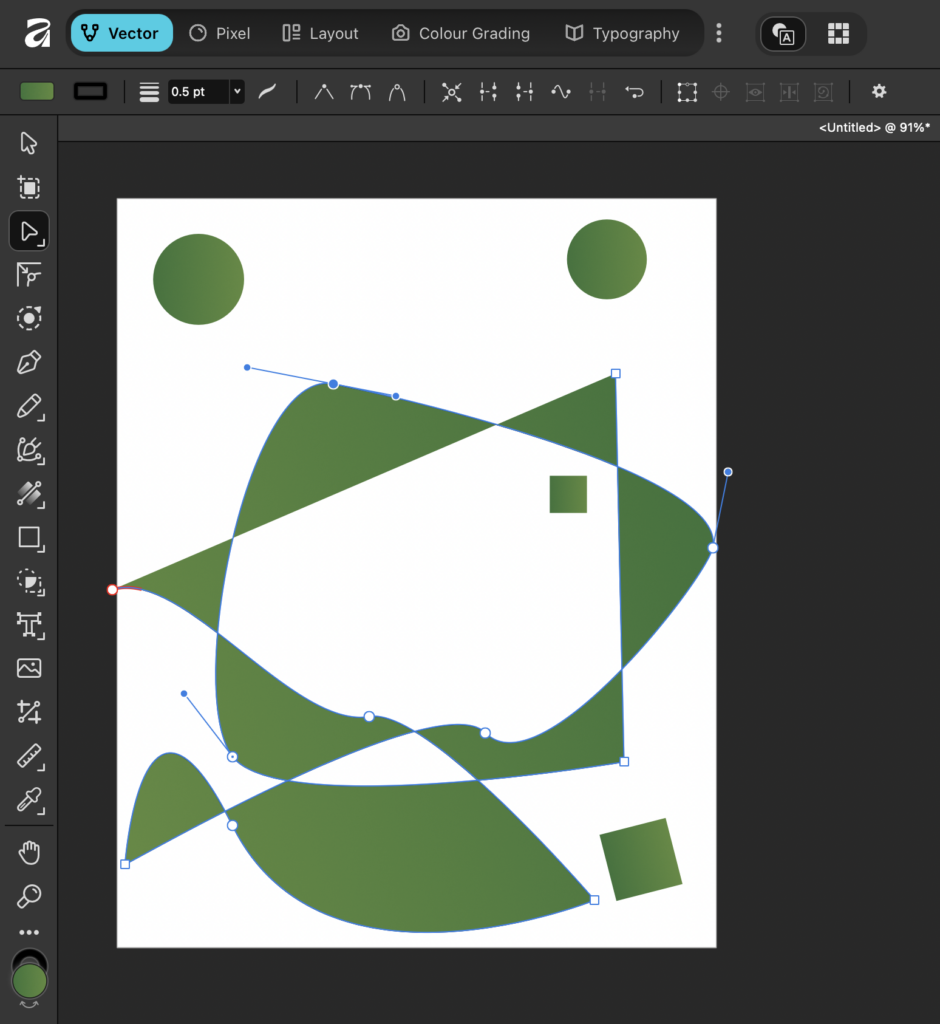
2. Pixel Studio
The Pixel Studio is like the classic Photoshop. Not a lot more to say about it. Have a few images that you wish to combine? This will do that for you.
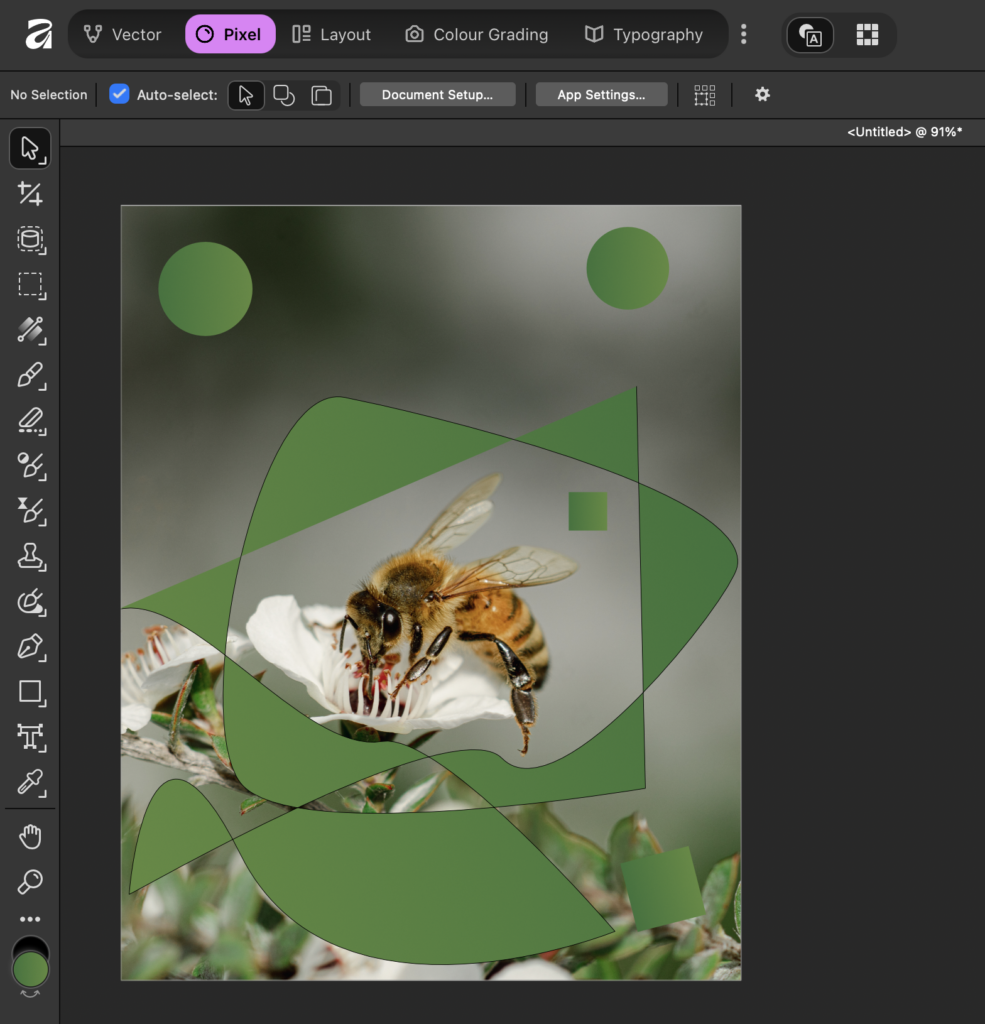
Notice that your vector assets are natively carried across between studio views.
3. Layout Studio
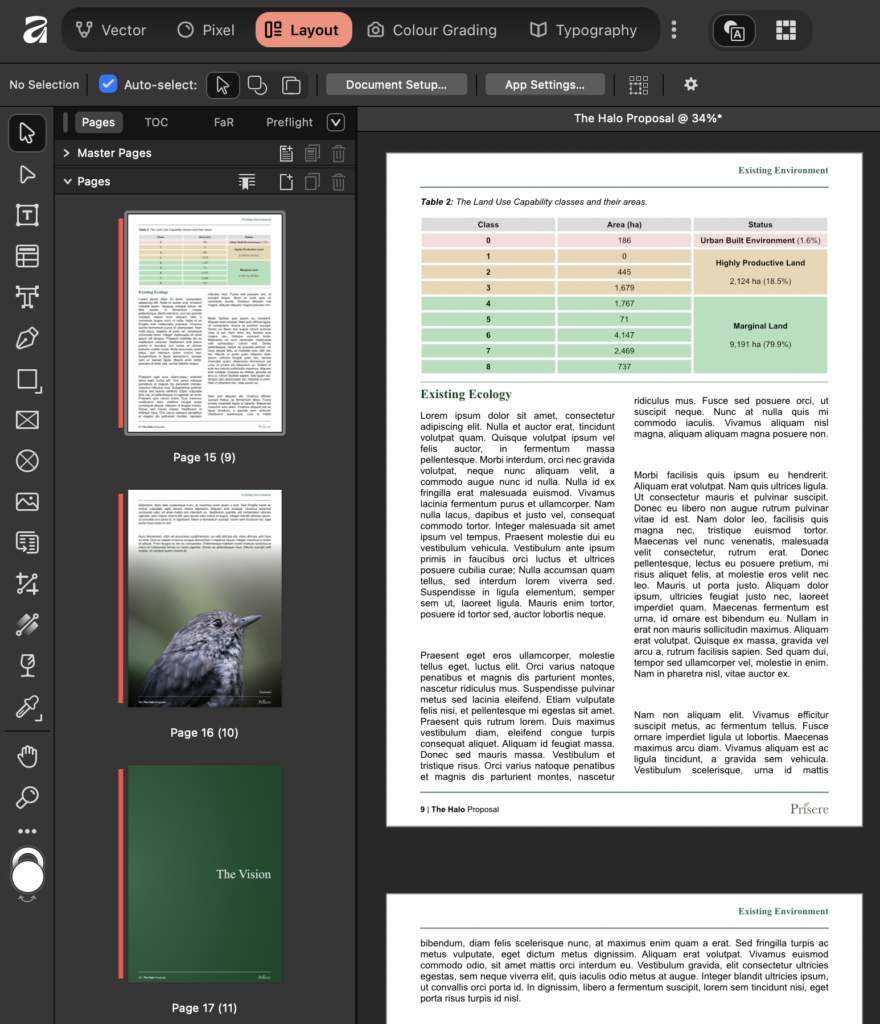
The Layout Studio works like Adobe InDesign, allowing you to pull together multipage documents for export. This view is where you will produce your audience facing work such as flyers, brochures, annual reports, and essentially anything else that combines imagery with text.
The Takeaway
With these two applications you’ll be well on your way to creating all the digital assets needed to successfully market and showcase your conservation goals. It can be daunting to learn a new computer program, but with a purpose behind your need to learn, you’ll find that a lot of this friction is reduced.
Here at Prisere, I intend to start creating resources that will help you to utilise these applications to their fullest in the context of conservation and ecology. If you have a particular marketing pain-point in your line of work or volunteering, please let me know in the comments and I’ll see if I can create a how-to for your particular situation.
And if you’re looking at these programs and dreading the idea of having to learn them, I’m here to help too! My services are available so please reach out if you simply need a solution but don’t have the time to do it yourself.
Until next time!
Jordan

Leave a Reply